

Toronto-based student creator Ara has built a massive social community of over 500,000 followers by proving that the right digital tools can transform the academic experience. As an entrepreneur and the creative mind behind studywithara.ca, she designs digital wallpapers and note-taking templates that bridge the gap between aesthetic “vibes” and high-functioning utility.
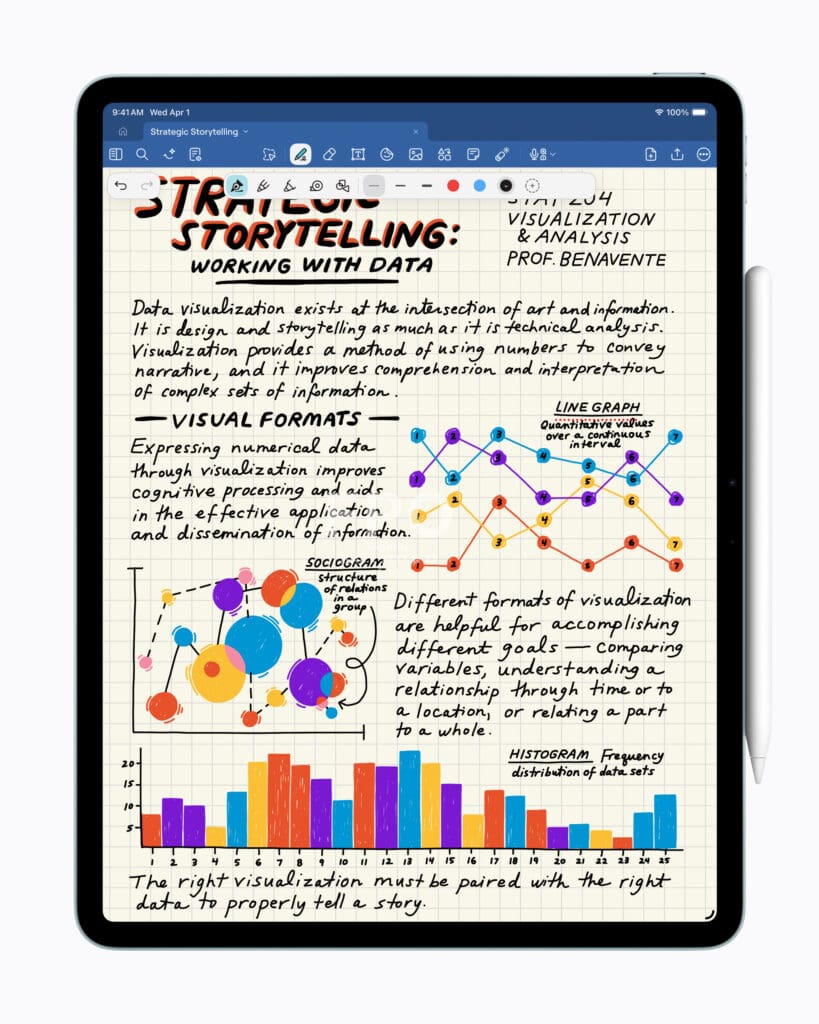
Her insights come at a perfect time with the launch of Apple‘s new M4 iPad Air. Starting at $799 (CAD), this latest model delivers a 30 percent performance jump over its predecessor, featuring a faster Neural Engine for advanced AI tasks like transcribing lecture notes and 50 percent more unified system memory. Whether you are a student navigating a heavy STEM course load or a “solopreneur” managing a digital storefront, the M4 iPad Air—combined with Ara’s expert tips—is designed to help you turn your biggest ideas into reality. —Noa Nichol
The iPad “Matchmaker”: You’ve built a community of over 500,000 followers by sharing how to turn an iPad into the ultimate student companion. What was the specific “lightbulb moment” during your own studies when you realized a tablet could outperform a traditional laptop for productivity?
It was pretty unglamorous — first year of university, I was hauling my notebooks to every single class and commuting back home watching my back slowly give up on me haha.
I noticed my friends using iPads to take notes so I tried it out and never looked back. I was in lots of STEM courses so it was super convenient having the 100s of powerpoint slides in one place that I could annotate. That curiosity also spilled into my content, and I think it resonated because so many students were also looking for smarter ways to organize their notes and study material.
The “Blank Page” Fix: As an entrepreneur who designs digital wallpapers and note-taking templates, how do you balance aesthetic “vibes” with high-functioning utility to help students actually get their work done?
I don’t think the two are really in conflict with each other. I think the aesthetic is part of the function. If something looks chaotic, you’re not going to want to open it, let alone use it consistently. But I’ve also seen beautifully designed templates that are basically unusable in practice which is equally frustrating. My rule of thumb is: design it pretty enough that you want to sit down with it but strip out anything that creates friction. Every element has a reason to be there. If it solves a problem, making it beautiful is the easy part.
Toronto’s Digital Campus: Being based in Toronto, what are your top three “study-with-me” locations in the city that offer the best atmosphere for a long iPad session?
Toronto is genuinely so good for this! I feel like there’s always a new cafe to try out. Here are my top three right now (and what matcha I recommend):
- 10 Dean is my go to when I want somewhere that feels elevated. They have multiple locations downtown and the atmosphere is always great and open later than a lot of cafes. The ube matcha is one of my favs in the city if you’re looking for a sweet treat.
- Icha Tea on Spadina has a cozy relaxed vibe. It’s a tea house with a calming back seating section. It’s perfect for deep work sessions (warning the lights are dim so you could fall asleep!) I love their strawberry matchas.
- Cafe Foret on Dundas is newer but has made it to my top three! It’s so spacious with plenty of seating and has a beautiful minimalist aesthetic. It feels like a proper study sanctuary in the heart of downtown. They make a solid matcha.
- Bonus: Baldwin Street has a cafe trifecta (Butter & Blue, Rooms Coffee, and Carbonic Coffee) for cafe hopping.
The “Paperless” Transition: For the student who is terrified of ditching their physical notebooks, what is the one iPad feature or app that makes the transition to digital note-taking feel most natural?
I’ve been using the Notability App + Apple Pencil since I first got my iPad. For someone who is emotionally attached to the ritual of pen and paper, the handwritten element is really important to preserve. So using the Apple Pencil to make notes made it more approachable. It didn’t feel like I was abandoning physical notebooks but more like upgrading it. You can still write everything by hand, but now you can also add reference photos, screenshots, and have all of it be fully searchable. It’s truly the best of both worlds.
Multitasking for the “Solopreneur”: You aren’t just a student; you’re a small business owner. How do you use Apple’s ecosystem to “context switch” between your lecture notes and managing your digital storefront?
The ecosystem kind of organizes itself for me because each device has its own role. I use my iPhone 17 Pro to film and capture things in the moment, my iPad as my creative thinking space, and my MacBook to buckle down and edit. So instead of context switching within one device, I’m picking up different tools depending on what mode I need to be in.
What makes it seamless though is how well every device talks to each other. Universal Clipboard is one of my favourite features. I can copy something on my iPad and paste it straight to my laptop without any extra steps. Airdrop also makes transferring files between devices so instant that it barely feels like a workflow anymore. It removes the friction that would break your focus.
The Productivity “Myth”: In the world of “studygram,” it’s easy to focus on making notes look pretty. How do you ensure your productivity tips focus on actual retention and deep work rather than just “performative” studying?
Studygram can really blur the line because there’s a lot of pressure to make everything look a certain way. I’ve always given tips that are rooted in how we actually learn like spaced repetition, active recall, and keeping your study environment distraction free rather than just what looks good on camera.
Ara’s Essential “Dock”: If you could only keep four apps on your iPad’s dock for an entire semester, which ones would make the cut and why?
Notability, Notion, Thea, and Procreate!
Notability is where all my handwritten notes live. Notion is my second brain for everything organizational; lecture schedules, project planning, and keeping the bigger picture in order. Thea is underrated, it helps you practice active recall and generates quizzes from your notes and lecture slides, which helps you retain information rather than just passively re-reading things. And Procreate to sketch out ideas, make diagrams, or just doing something creative to decompress.
Designing for Others: When you’re creating new templates for your shop, what is the most common “productivity pain point” you hear from your followers that you try to solve with your designs?
I’m not primarily a template creator. When I do make something it’s usually because I needed it myself and couldn’t find a version that felt right. The pinpoint I hear most consistently from my audience is overwhelm — specifically that feeling of having too much to do and not knowing where to start so you end up doing nothing. What I try to create — whether that’s a resource, a framework, or just a piece of content is something that meets people where they actually are rather than where they think they should be.
The “Off-Screen” Balance: As someone whose brand is built around digital tools, how do you use your iPad to help you disconnect or manage your mental health during a high-stress exam season?
This is something I feel strongly about because it’s actually at the heart of my anti-rot philosophy. The whole idea behind it is that rest isn’t the opposite of productivity, it’s part of it. And that applies especially during high-stress seasons like exams, when everyone is so busy and running on empty.
For me, the iPad plays a role on both sides. It’s a work tool, but I also use it to intentionally wind down whether that’s sketching in Procreate for fun, reading, or playing a cozy game. I actually removed all social media from my iPad intentionally so I don’t get sucked into doomscrolling when I’m trying to decompress. The boundaries make the difference.
share:

March 20th, 2026 at 7:47 am
Ara is one of my favorite creators out there. She has truly sparked a new sense of joy for me, I recently got an iPad and I’m learning as I go. I love discovering all the things I can do with it!!